
Tick v1.3.14

Explore our newest Jira app release featuring powerful checklist enhancements, smarter templates, custom date formats, and improved task organization - built from customer feedback.

author image

By Nurlan Mirzayev

12 Jan 2026

🚀 New Release: More Flexibility. More Control. Built for Your Teams.

We’re excited to roll out a new version of our app, delivering five powerful enhancements inspired directly by customer feedback. This release strengthens our feature foundation and gives Jira teams even more flexibility to tailor checklists to their real-world workflows.

✨ What’s New in This Release

  • Negative relative dates on templates – Automatically set checklist task due dates before the Jira issue due date.
  • Custom date formats – Let admins define how dates are displayed across the entire organization.
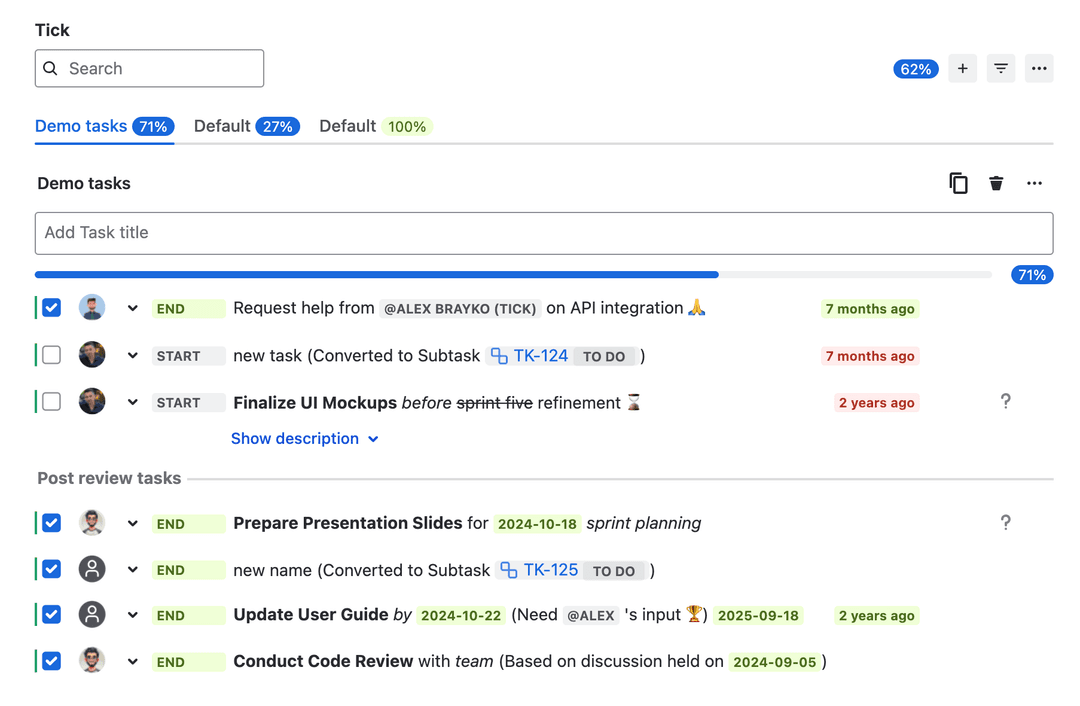
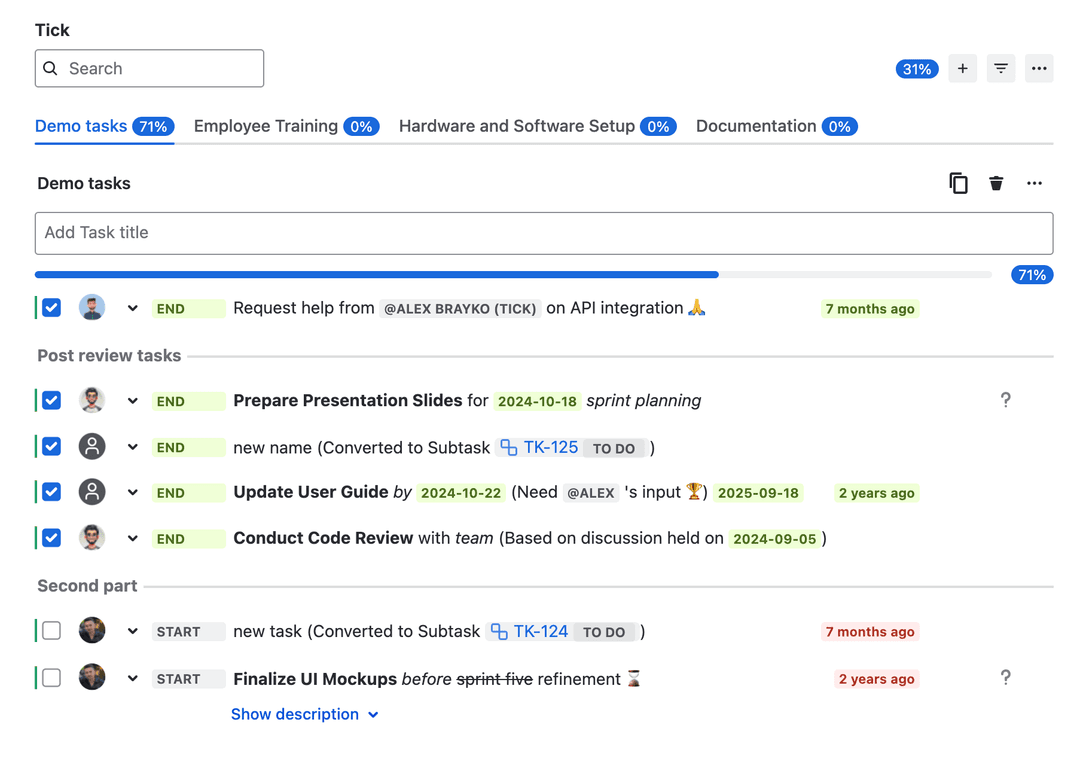
  • Checklist separators – Easily organize tasks using draggable visual separators.
  • Request type–level templates – Assign specific templates to request types, with smart fallback logic.
  • Optional task descriptions – Add detailed instructions without cluttering checklist titles.

⏱ Smarter Relative Dates on Templates

Planning ahead just got easier.

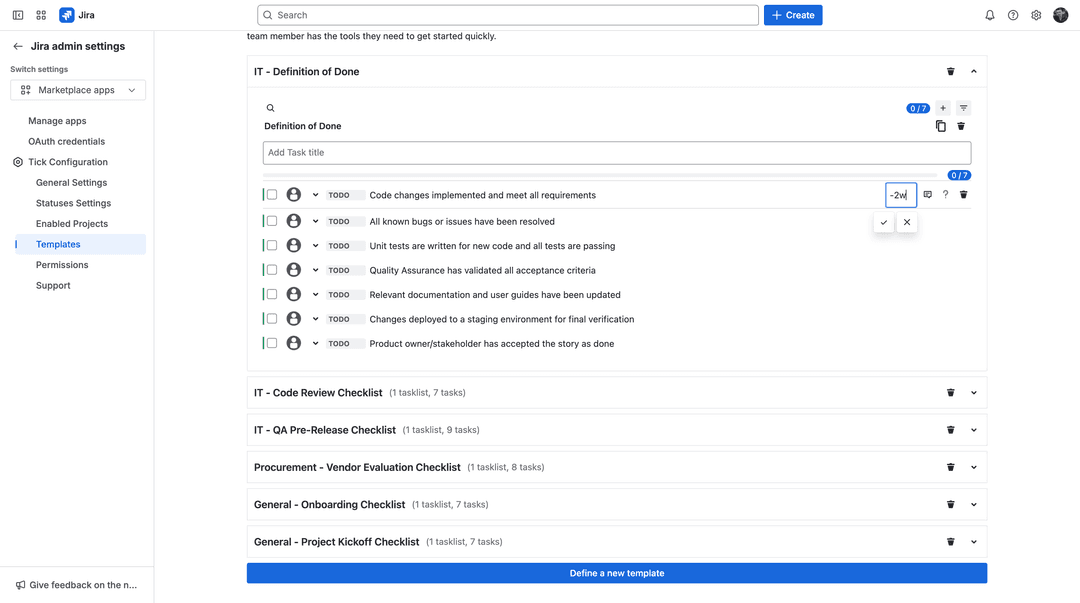
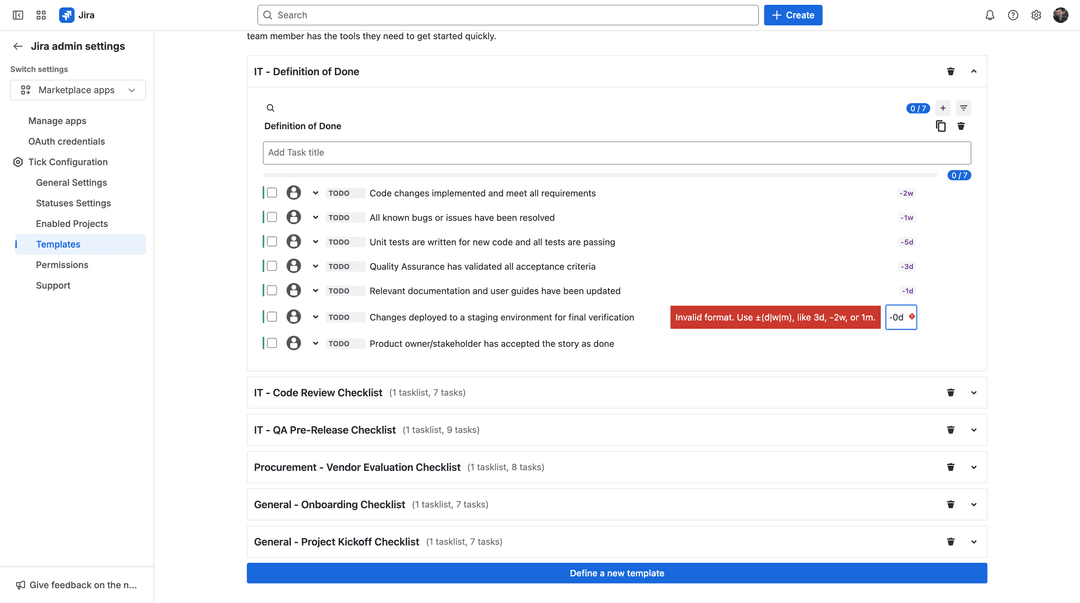
In addition to standard relative dates, templates now support negative (minus) relative dates. This allows checklist task deadlines to be automatically set before the Jira issue due date.

Why this matters: You can ensure preparation tasks are completed on time - without manual updates.

Example: If an issue is due in two weeks and a checklist task is set to –1 week, the task will automatically be due in one week.

Perfect for reviews, approvals, and pre-work that must happen ahead of deadlines.
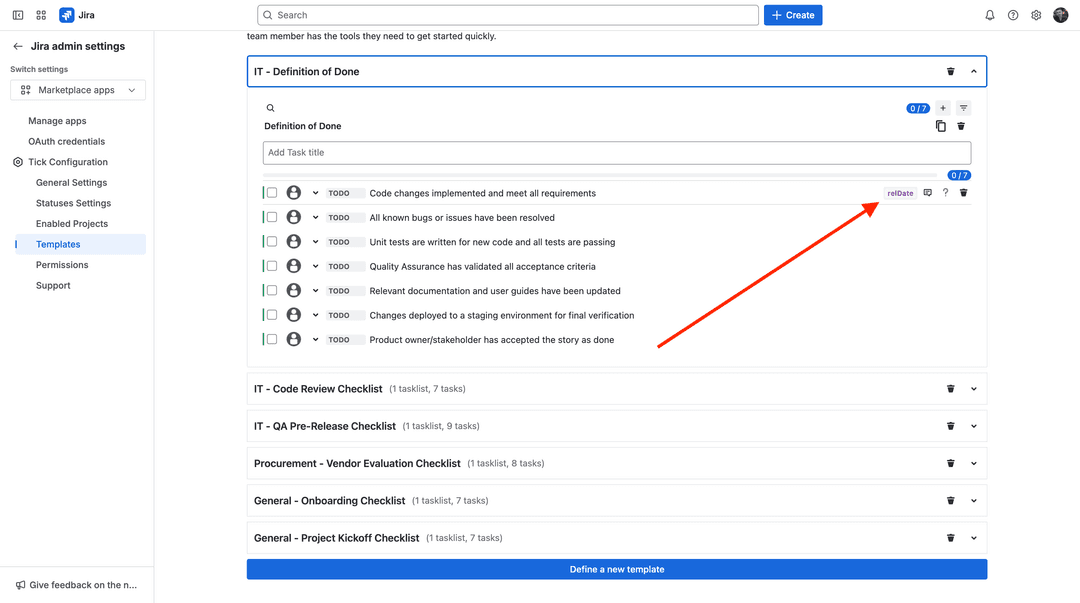
Tick admin dashboard for templates with relative date
Tick admin dashboard for templates with relative date input
Tick admin dashboard for templates with relative date with invalid date
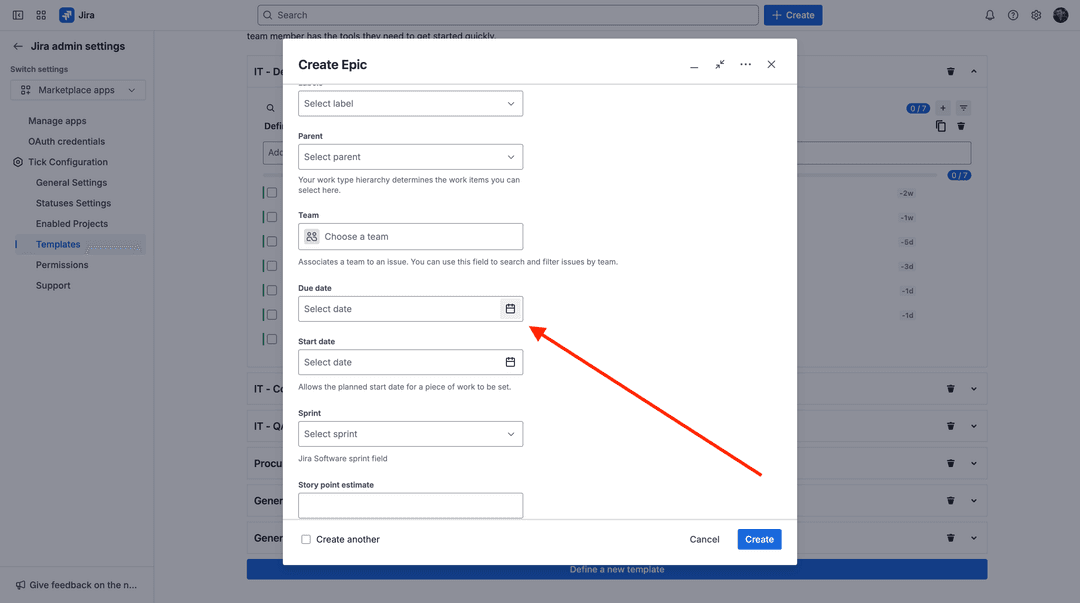
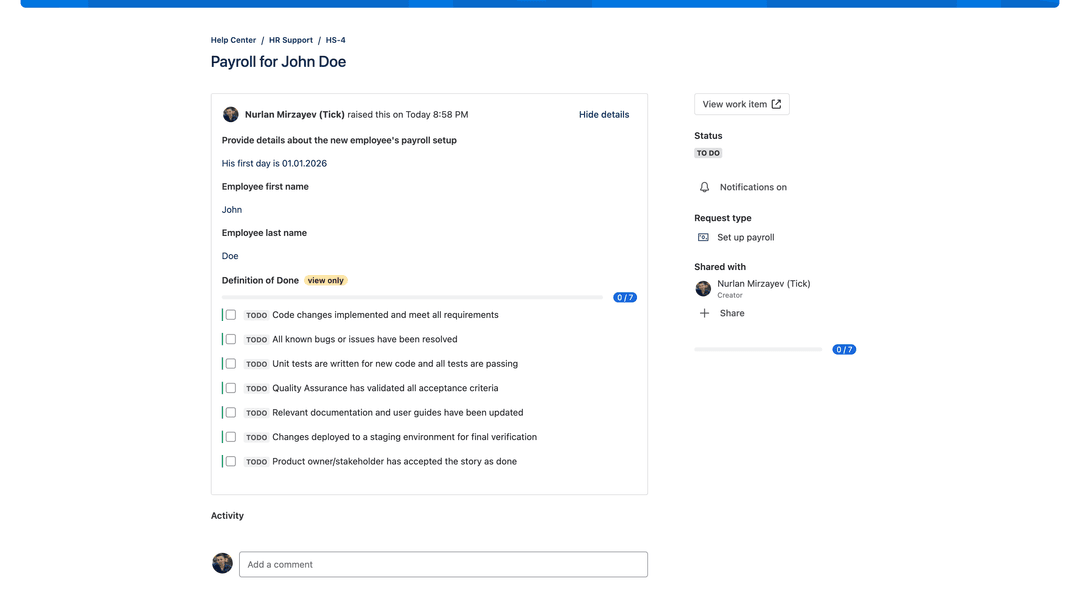
Jira issue with due date
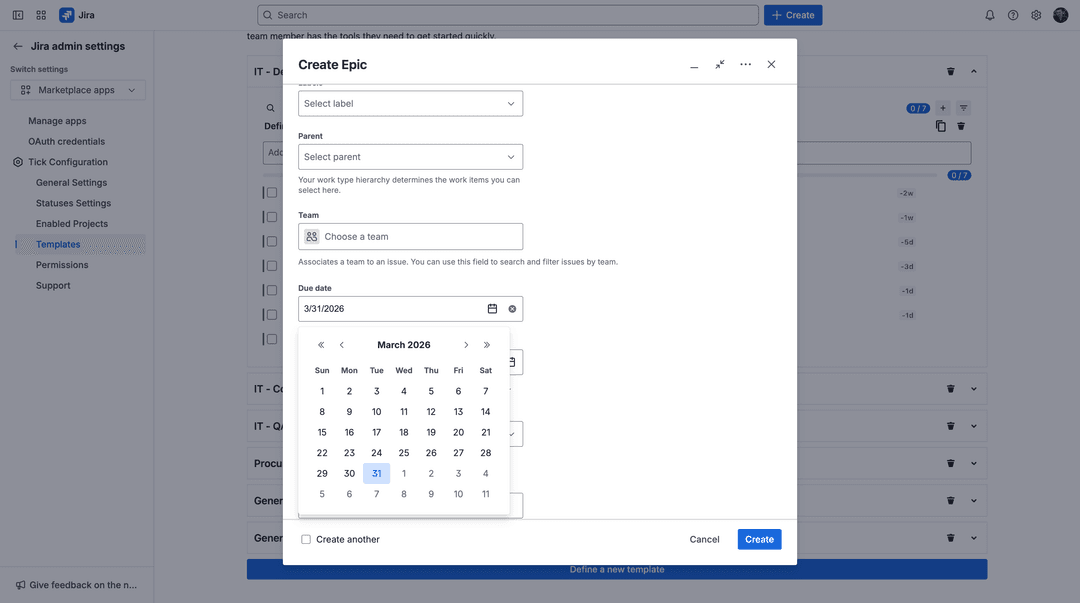
Jira issue with due date entered
Checklist with due dates relatively from due date of Jira issue

📅 Custom Date Formats Across Your Organization

Every team reads dates differently-and now your app can match that.

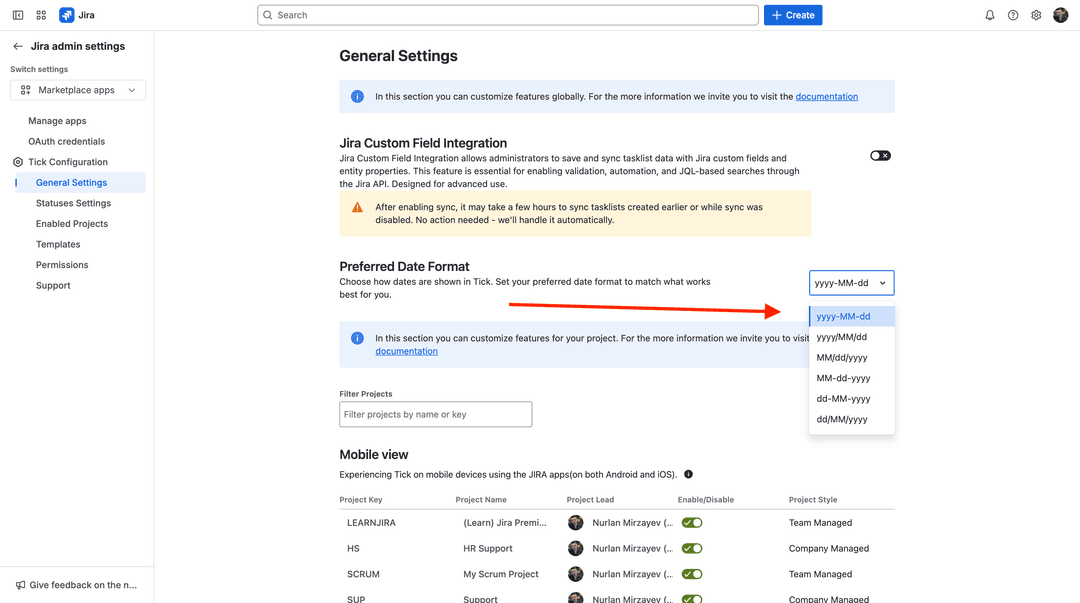
Admins can now define a custom date format from General Settings, choosing the format that works best for their organization.

  • Fully configurable by admins
  • Applied consistently across the entire organization
  • Improved readability and localization

Here are all date formats supported by Tick:

  • yyyy-MM-dd
  • yyyy/MM/dd
  • MM/dd/yyyy
  • MM-dd-yyyy
  • dd-MM-yyyy
  • dd/MM/yyyy

No more adjusting to Jira’s default format-your data, your way.
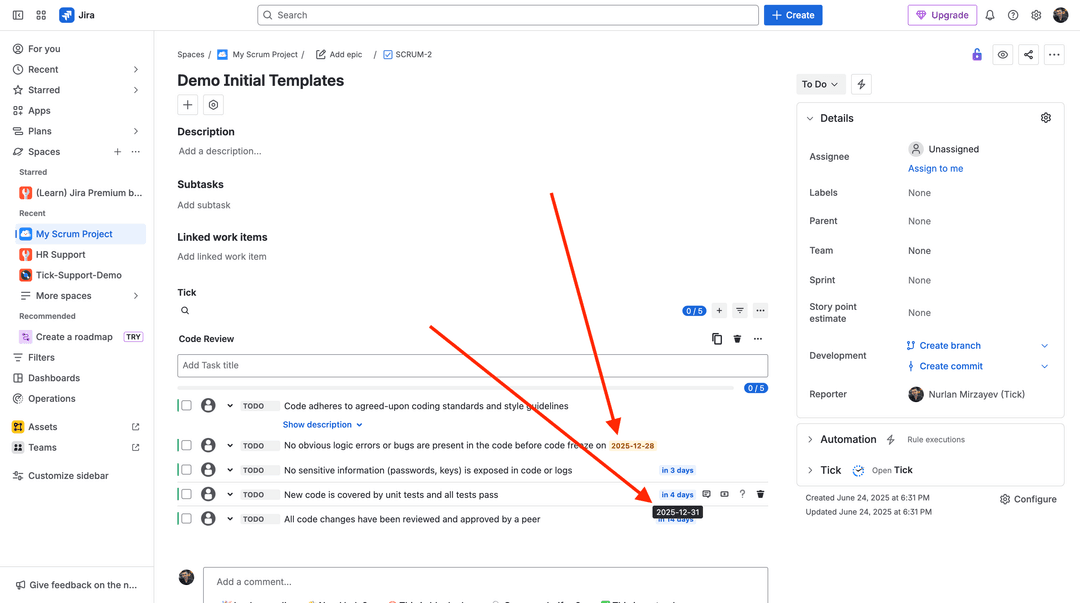
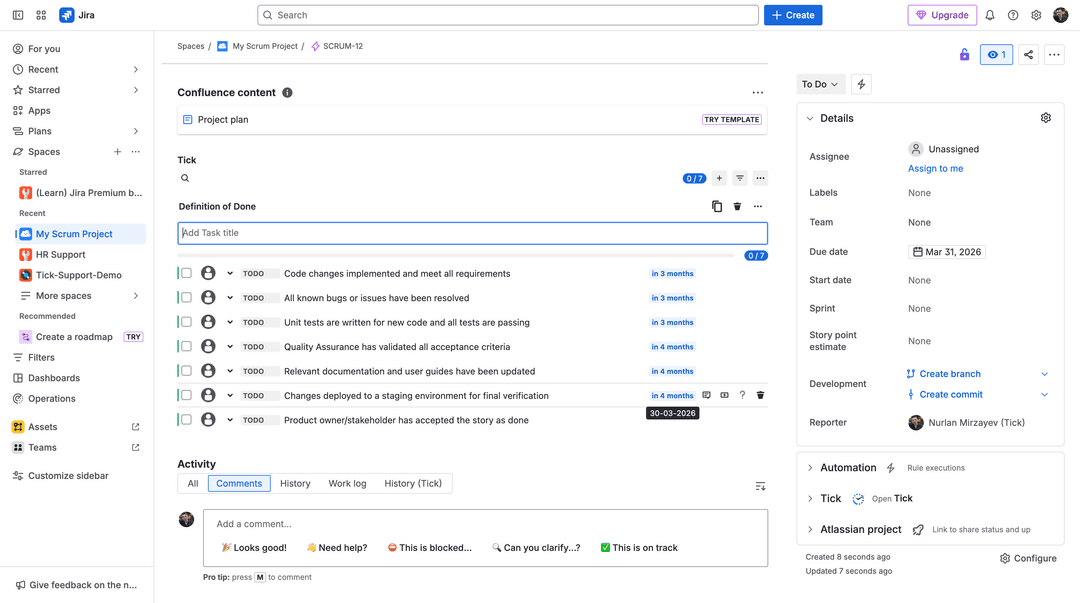
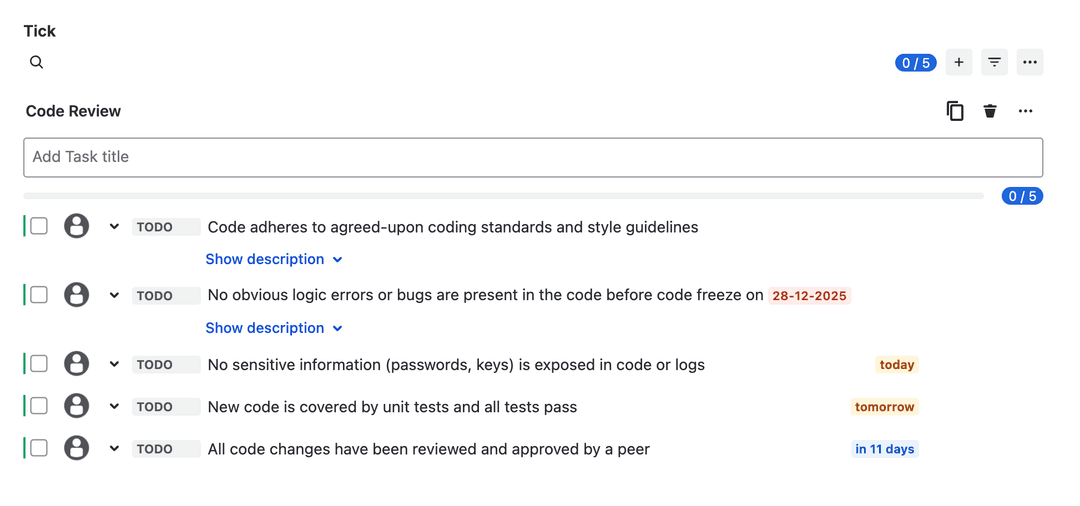
Checklist with dates
Admin date format configuration in general settings
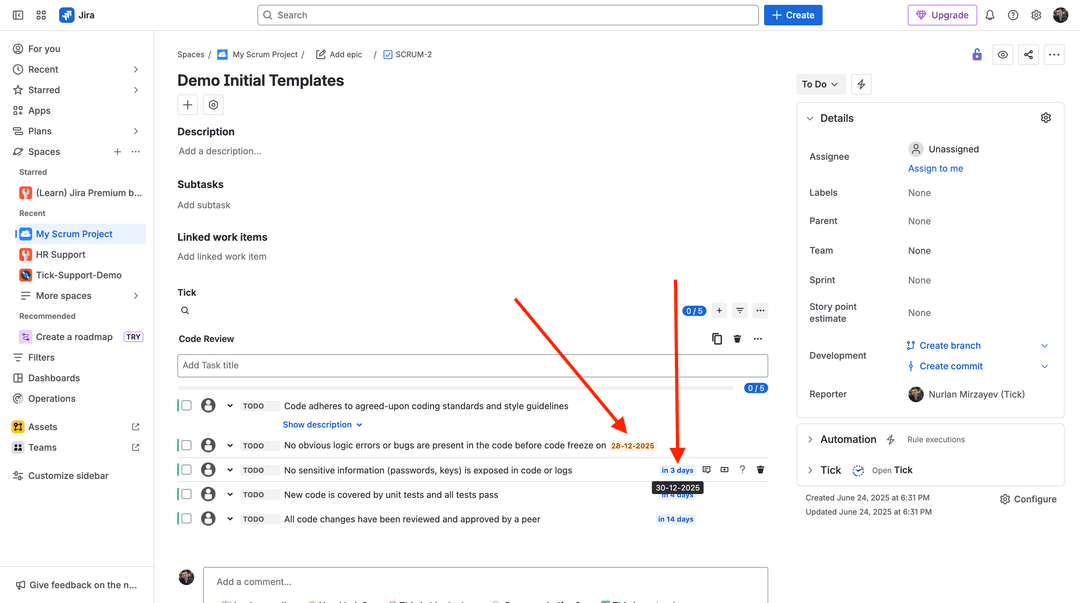
Checklist with new date format set as dd-MM-yyyy

🧩 Visual Separators for Cleaner Checklists

Long checklists are easier to manage when they’re clearly structured.

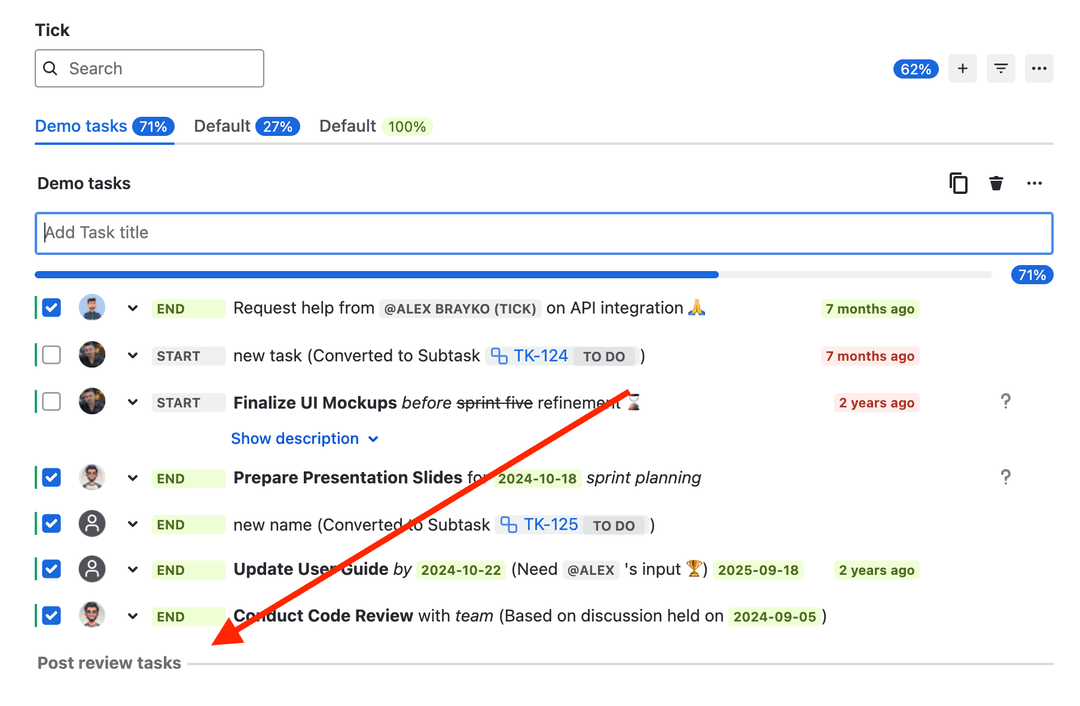
With the new separator feature, you can quickly divide checklist sections:

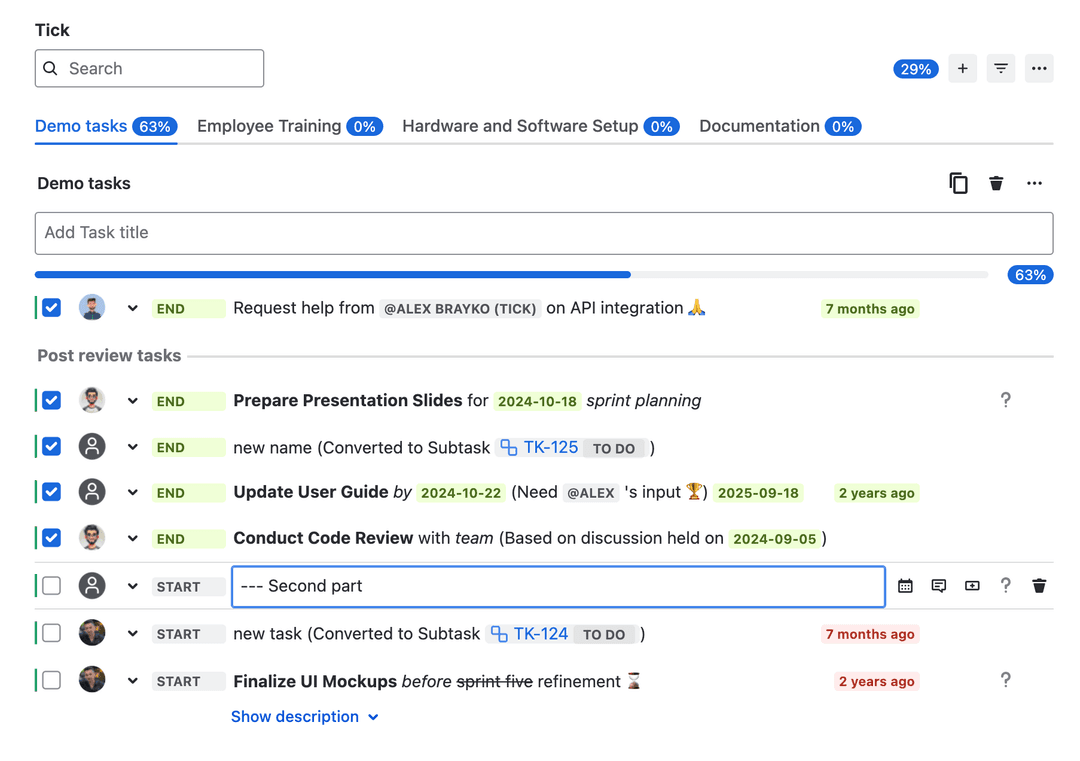
  • Create a separator using ---
  • Drag and drop it anywhere in the checklist
  • Organize tasks without creating extra lists

This makes complex workflows clearer and easier to follow at a glance.
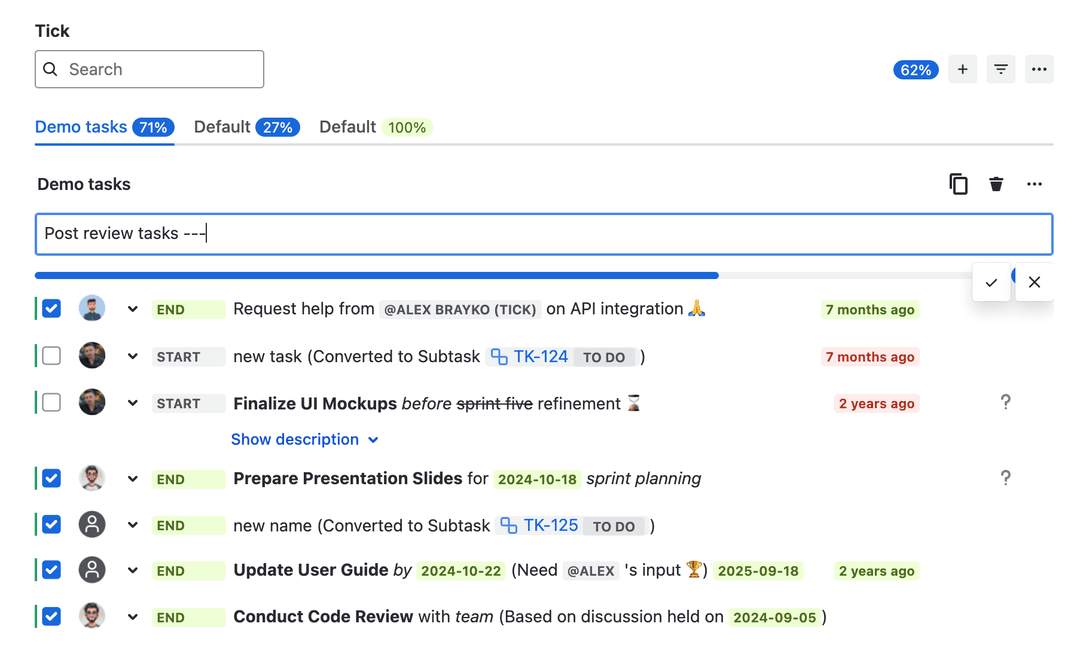
Creating a separator using `---`
New task created as separator
Separator was dragged into new location
Task editing to make task as separator
Checklist with two separators

🎯 Templates Assigned to Request Types

Take template automation to the next level.

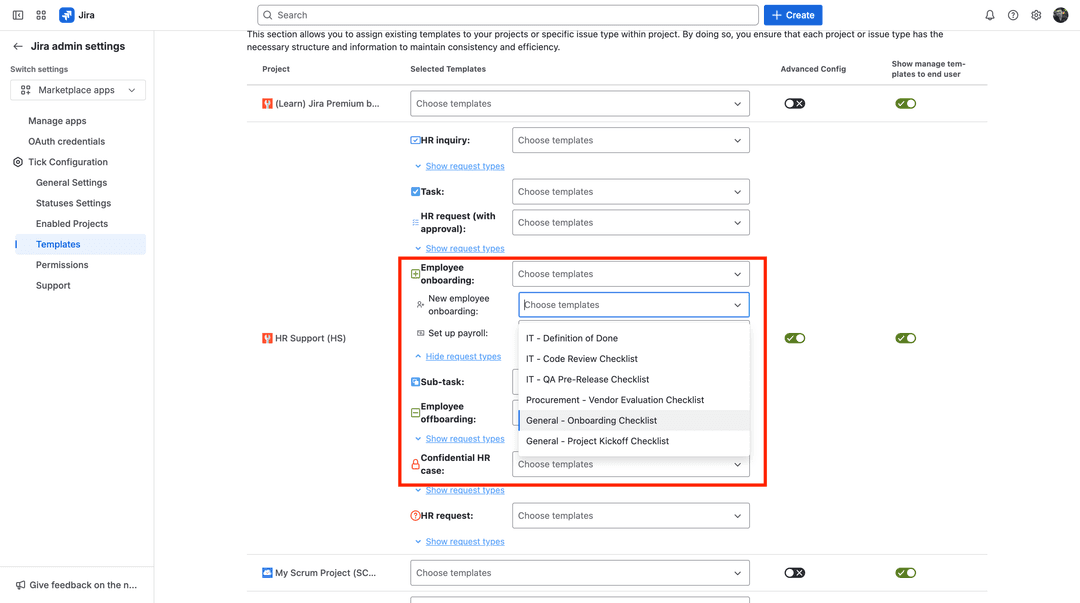
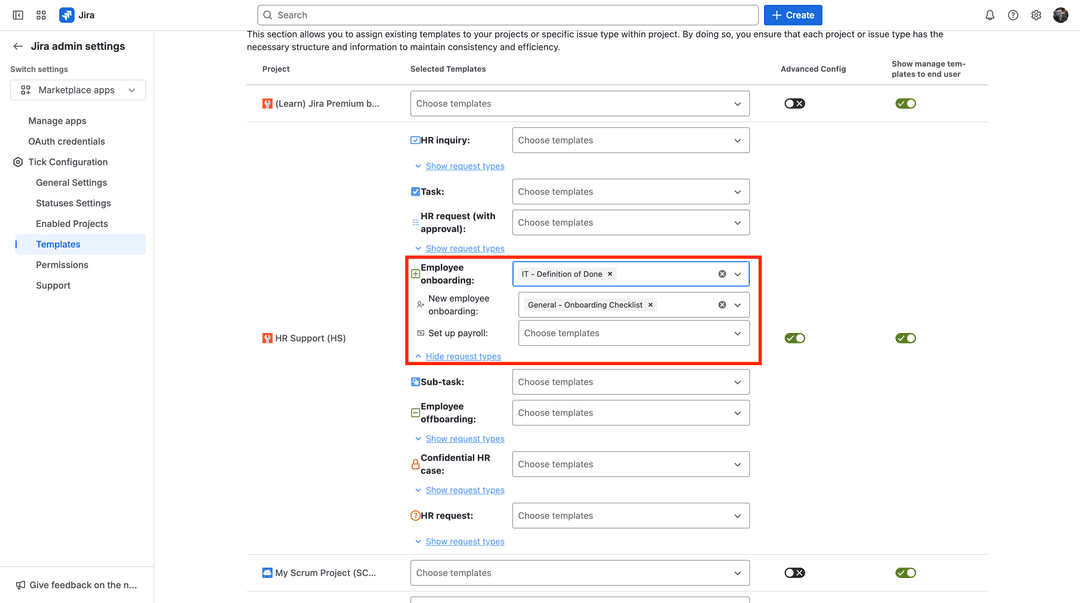
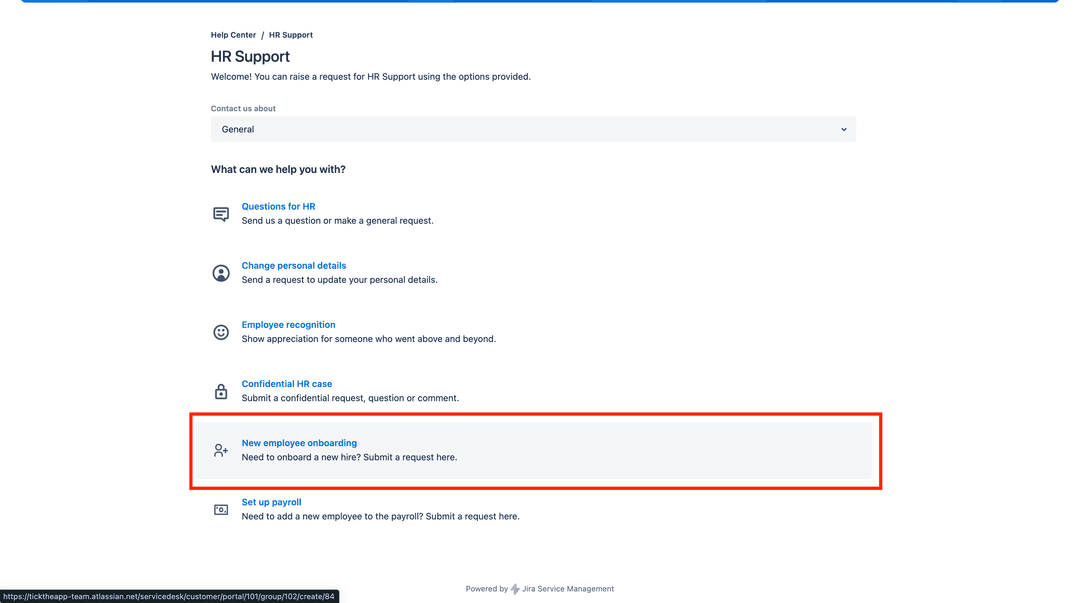
You can now assign templates not only to projects and issue types, but also to specific request types.

How it works:

  • Request type template → highest priority
  • Issue type template → fallback
  • Project template → default

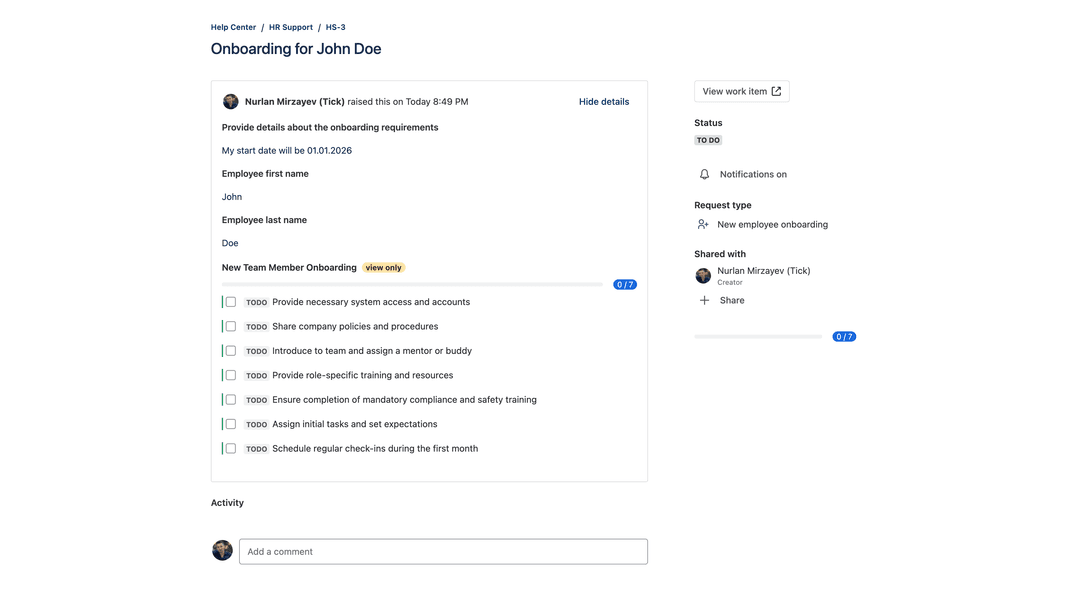
This ensures every request starts with the right checklist, every time - no manual setup required.
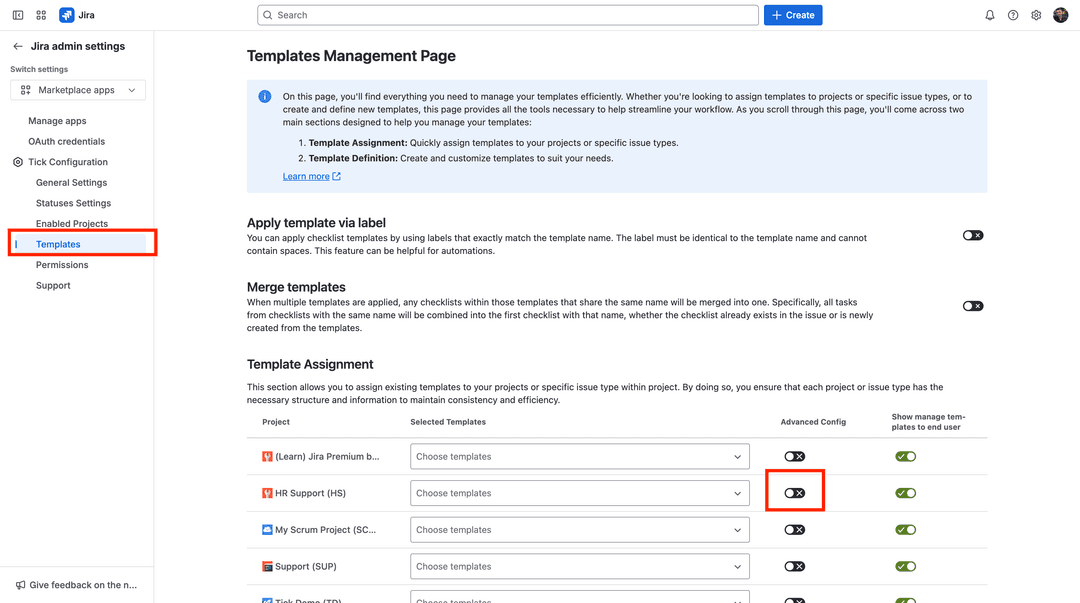
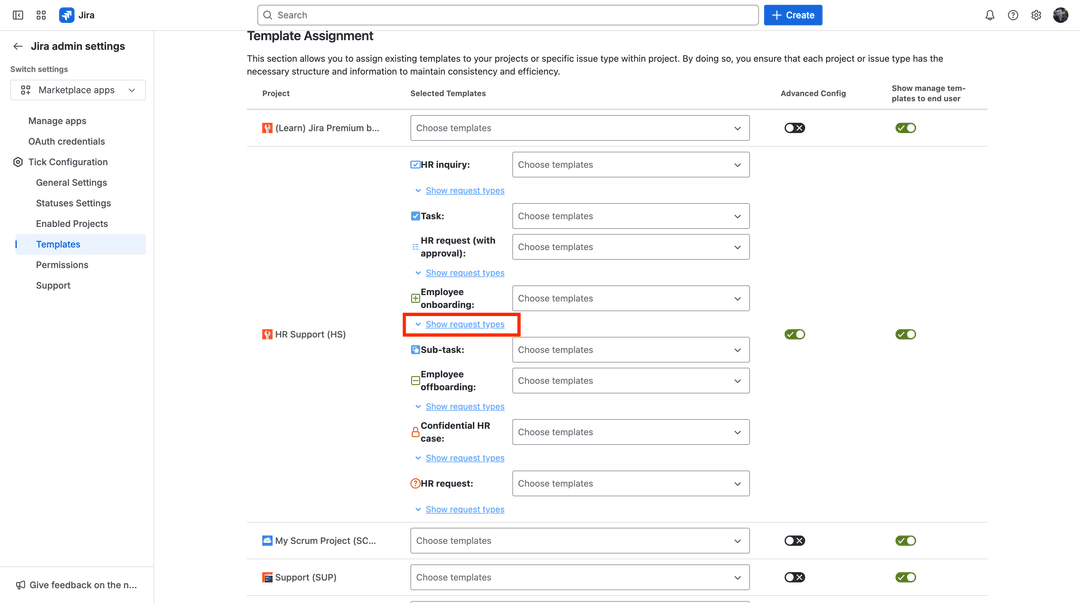
Tick templates configuration
Show request types for templates
Assigning template for request type
Assigned templates for request type and issue type
Creating JSM ticket
Creating JSM ticket
JSM ticket with applied checklist from templates
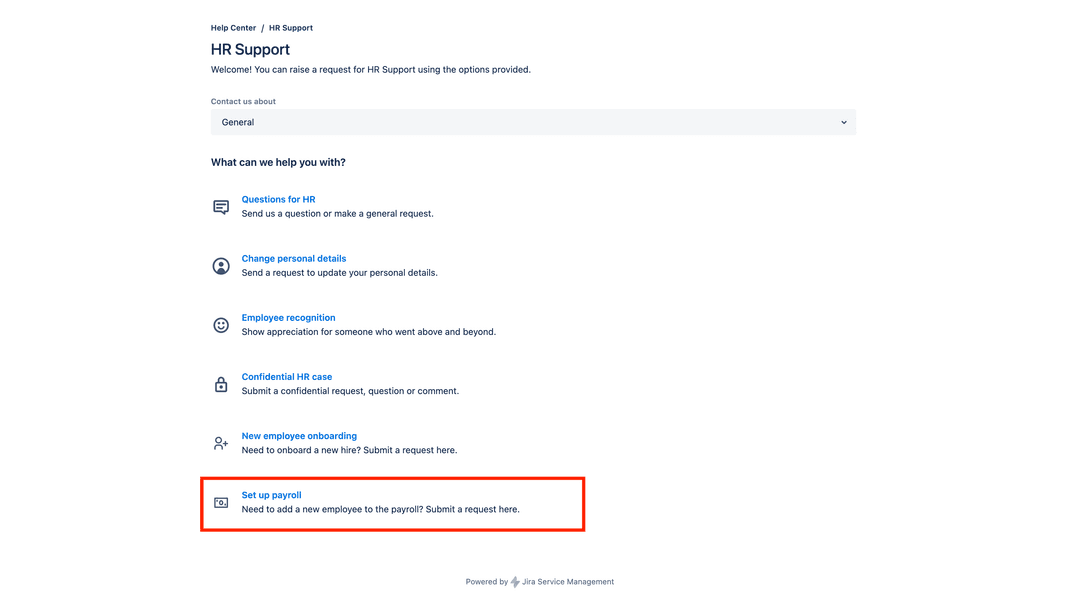
Creating JSM ticket for other request type
Checklist applied from issue type due to missing template for request type

📝 Task Descriptions for Better Clarity

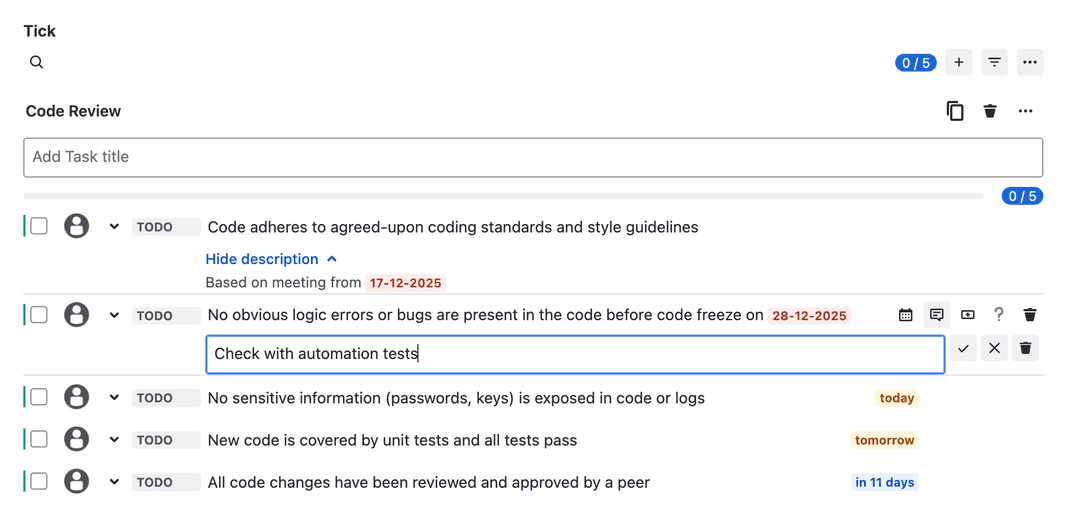
Checklist tasks can now include optional descriptions.

  • Keep task titles short and focused
  • Add detailed instructions when needed
  • Descriptions stay hidden until expanded

This helps teams understand exactly what needs to be done - without cluttering the checklist view.
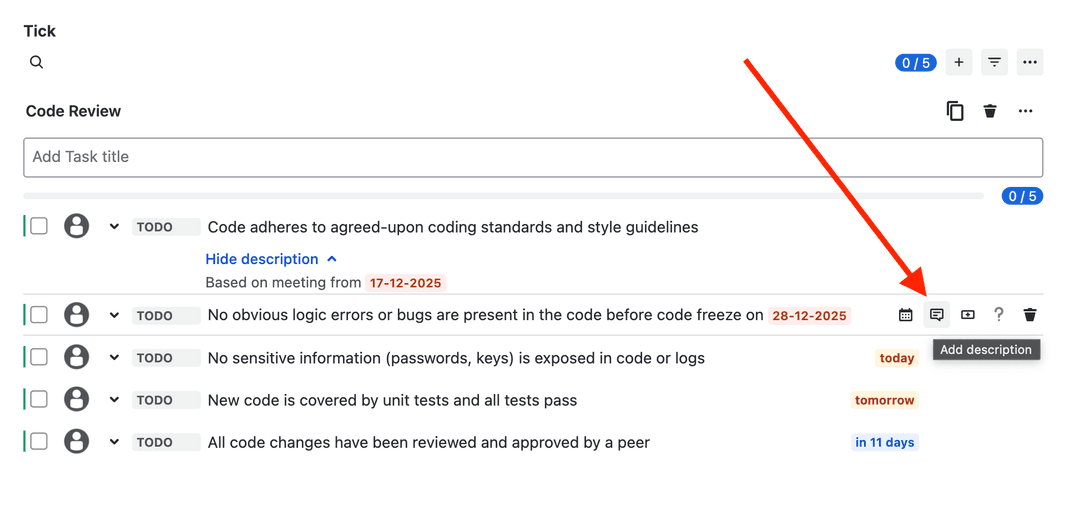
Add description button for each task in checklist
Add description input
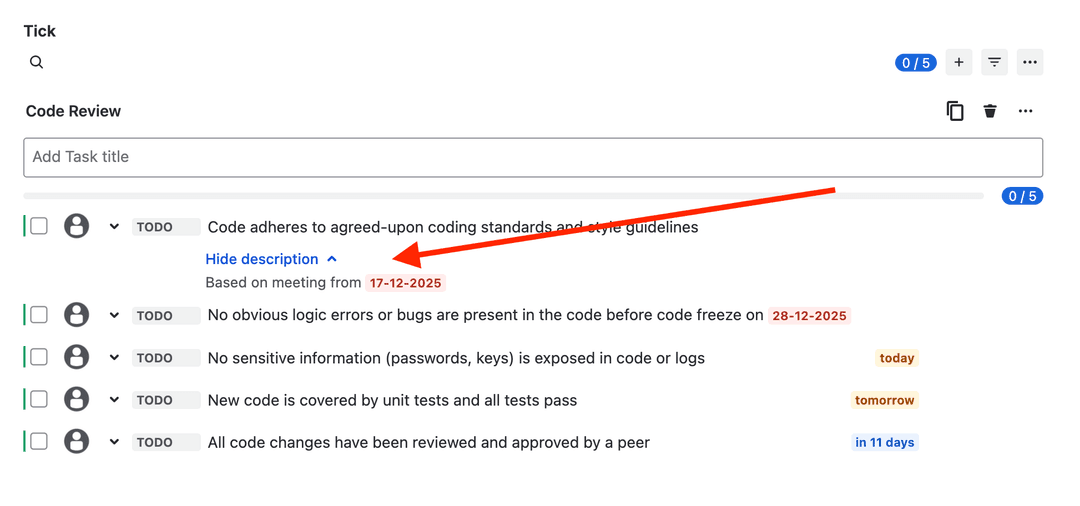
Descriptions are hidden initially
Show description
Show description

💬 Designed by Customer Feedback

Every feature in this release was built in response to real customer requests. The result is a more flexible, more powerful checklist experience that adapts to your workflows - not the other way around.

Update today and see how much smoother task tracking in Jira can be.

Get Started Now

Ultimate Checklist for your Jira

Share This Post